Best CAD App for iPad in 2026
Finding the best CAD app for iPad in 2026 isn’t as straightforward as it sounds.
The iPad is now a genuinely capable design device. With Apple Pencil and modern iPad hardware, it’s perfectly possible to sketch ideas, build real 3D models, and send parts to a printer without ever opening a laptop. The problem is that not every CAD app has caught up with that reality.
A lot of apps still feel like desktop software awkwardly squeezed onto a touchscreen. Others are fine for viewing files, but not for actually building precise printable parts. And some are simply priced for professional teams, not individual makers.
So we looked at the options that matter for real iPad-based 3D design in 2026. We focused on the things makers actually care about: Apple Pencil support, offline use, export formats, ease of learning, and whether the app feels like something you’d genuinely want to use for 3D printing.
What to Look for in an iPad CAD App for 3D Printing
Not every CAD app is a good fit for 3D printing.
Some are built for architecture. Some are better for visualization than modeling. Some work well on desktop but feel clumsy on iPad. If your goal is to design brackets, enclosures, adapters, props, replacement parts, or other printable objects, the right app needs to do a few things well:
- Run natively on iPad
- Export STL or 3MF for slicers, and ideally STEP for interoperability
- Work well with Apple Pencil, not just basic touch controls
- Feel approachable enough for hobbyists, while still being capable enough for real projects
- Avoid unnecessary friction like forced cloud dependence or enterprise-style pricing
Here are the iPad CAD apps that stood out.
The Best iPad CAD Apps for 3D Printing, Compared
PixyCAD — Best Overall iPad CAD App for Makers
Price: Free (Starter, 2 projects) / $17.99/month or $179.99/year (Maker)
Platform: iPad + Mac
Exports: STL, 3MF, STEP, Parasolid X_T
Works offline: Yes, fully on-device
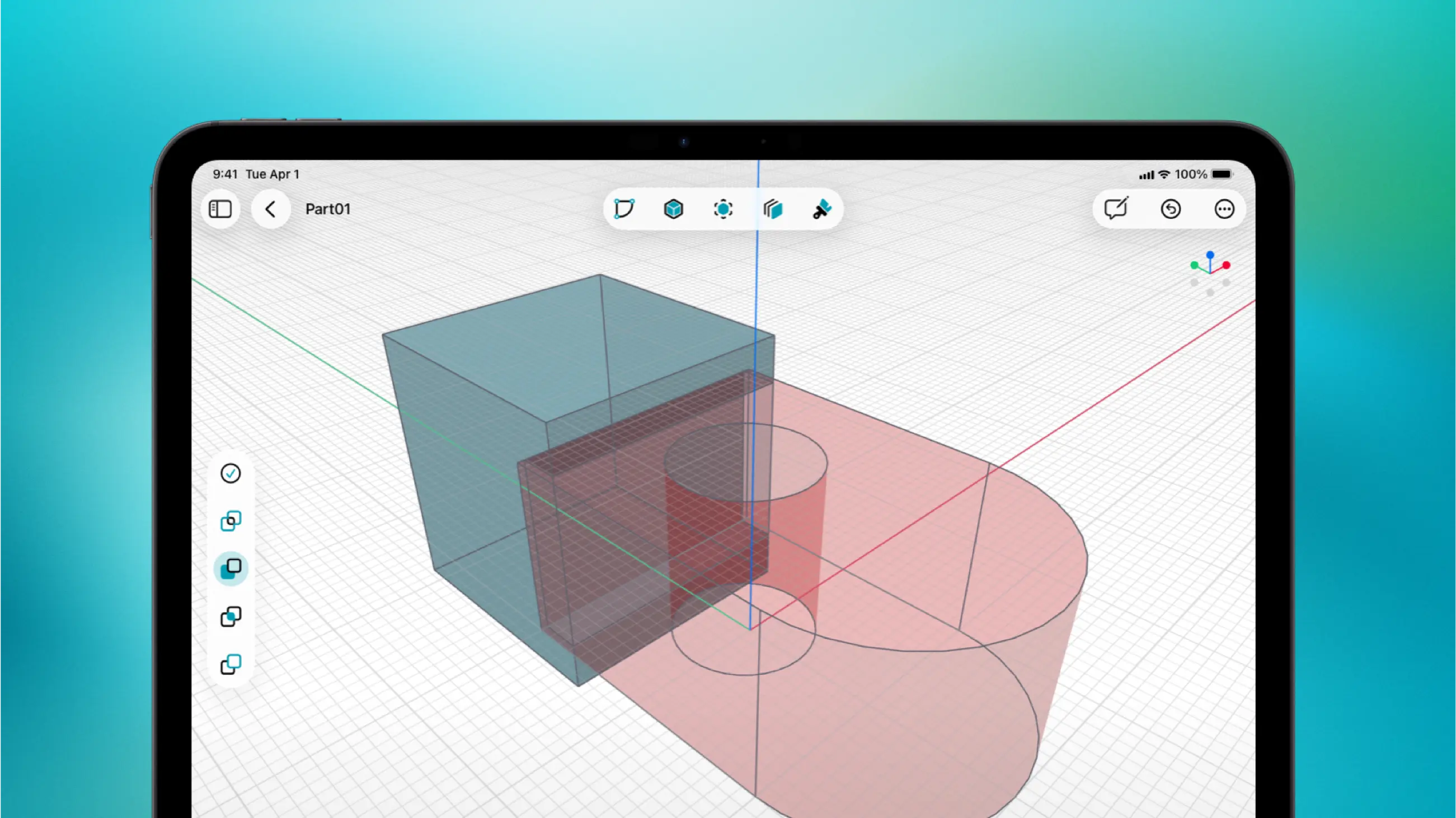
PixyCAD is built for the kind of workflow a lot of makers actually want: sketch something quickly, turn it into a solid model, tweak it with precision, and export a clean file for printing.
Under the hood, it uses Parasolid-based BREP solid modeling, which is a big deal if geometry quality matters to you. STEP exports are clean, STL output is reliable, and the whole experience feels closer to professional CAD than to simplified hobby software.
Just as important, the iPad experience feels intentional. Apple Pencil isn’t treated like a secondary input method. Sketching, selecting, and editing all feel natural, which makes a huge difference on a touchscreen device.
PixyCAD also keeps things refreshingly simple: no mandatory login, no always-online requirement, and no need to bounce between devices just to get work done. Your projects stay on your device, with iCloud sync available if you want it.
For makers, hobbyists, and indie creators, this combination is hard to beat. It offers serious modeling capability without drifting into enterprise territory on pricing or complexity.
One thing to know: PixyCAD is a direct modeling tool, not a parametric one. There’s no feature tree or constraint-driven history. If your workflow depends on parametric relationships between features, tools like Fusion 360 or Shapr3D are a better fit. For most maker projects — brackets, enclosures, mounts, replacement parts — direct modeling is the faster and more intuitive approach.
Best for: Makers who want serious 3D CAD on iPad without the usual overhead.
Download PixyCAD free on the App Store
Shapr3D — Best for Professional Workflows
Price: $38.00/month + VAT or $299/year + VAT
Platform: iPad + Mac + Windows
Exports: STL, STEP, 3MF, and more
Works offline: Yes
Shapr3D is polished, capable, and well established. It’s one of the best-known iPad CAD apps for a reason. The modeling experience is strong, Apple Pencil support is good, and it also uses Parasolid, so geometry quality isn’t the issue.
The bigger question is value.
If you’re a professional, a freelancer billing clients, or part of a team, Shapr3D makes sense. If you’re a hobbyist or independent maker paying out of pocket, the price can feel steep compared with other options that cover the core workflow just as well.
So Shapr3D is easy to recommend as a serious tool. It’s just not always the most accessible choice for casual or budget-conscious users.
Best for: Professionals, teams, and users who want a polished cross-platform workflow.
Part3D — Best Entry-Level Option
Price: $7/month / $44/year / $79 lifetime
Platform: iPad
Exports: STL, OBJ
Works offline: No
Part3D is the budget-friendly option here, and that matters.
For someone just getting into CAD, a lower-cost tool can be the difference between experimenting and never starting. Part3D has earned attention because it makes 3D modeling on iPad feel approachable, and for simpler designs it can absolutely get the job done.
Where it starts to feel limited is on more demanding projects. If you need cleaner interoperability, tighter control, or STEP export for more serious workflows, you may hit the ceiling fairly quickly.
That doesn’t make it a bad option. It just makes it a beginner-friendly one.
Best for: Beginners and casual users who want an affordable way to start designing on iPad.
Fusion 360 (iPad) — Best as a Companion, Not an iPad-First CAD Tool
Price: Free tier with limitations / paid plans from $545/year
Platform: iPad + Desktop
Exports: STL, STEP, F3D, and more
Works offline: Limited
Fusion 360 is an excellent desktop CAD platform, but that’s the key point: desktop.
On iPad, it’s better thought of as a companion experience than a full iPad-native CAD workflow. It’s useful for viewing files, checking projects, and making lighter edits, but it’s not the app most people are going to rely on for serious iPad-first modeling.
It’s also much more cloud-centered than the other options here, which may or may not matter to you. For some users that’s fine. For others, especially people who want a simpler, more self-contained workflow on iPad, it’s a drawback.
Fusion 360 is still worth considering if you already live in the Autodesk ecosystem. It’s just not the strongest choice if your goal is to do most of your CAD work directly on iPad.
Best for: Existing Fusion 360 users who want mobile access to desktop projects.
Side-by-Side Comparison: iPad CAD Apps for 3D Printing
| App | iPad Native | Apple Pencil | Offline | STL | STEP | Price/year |
|---|---|---|---|---|---|---|
| PixyCAD | Yes | Excellent | Yes | Yes | Yes | $17.99/month or $179.99/year |
| Shapr3D | Yes | Excellent | Yes | Yes | Yes | $38.00/month + VAT or $299/year + VAT |
| Part3D | Yes | Good | No | Yes | No | $7/month / $44/year / $79 lifetime |
| Fusion 360 | Partial / companion | Limited | Limited | Yes | Yes | Free–$545+ |
Verdict: Which iPad CAD App Should You Use?
If you want an iPad CAD app that feels built for makers, works well with Apple Pencil, exports proper 3D printing files, and doesn’t force you into a desktop-heavy or cloud-heavy workflow, PixyCAD is the standout choice.
It hits a sweet spot that is still surprisingly rare: serious solid modeling, approachable pricing, and a workflow that feels natural on both iPad and Mac.
Shapr3D is still a strong option, especially for professionals. Part3D is a good entry point for beginners. Fusion 360 remains excellent on desktop, but less compelling if your focus is truly iPad-first design.
If you already have an iPad and Apple Pencil, the easiest way to judge is simple: try PixyCAD for yourself and see how quickly it clicks.
Frequently Asked Questions
Can you do serious 3D CAD work on an iPad?
Yes. With the right app, iPad is now more than capable of handling real 3D CAD work, including printable parts and export-ready models.
Which iPad CAD apps work offline?
PixyCAD and Shapr3D are both strong options for offline work. That’s especially important if you want a more reliable, interruption-free design workflow.
Ready to try the best iPad CAD app for makers? Download PixyCAD free and start designing on your iPad today.